Business Operators
Lesson 4 / 4
Read the provider operating-system map truthfully
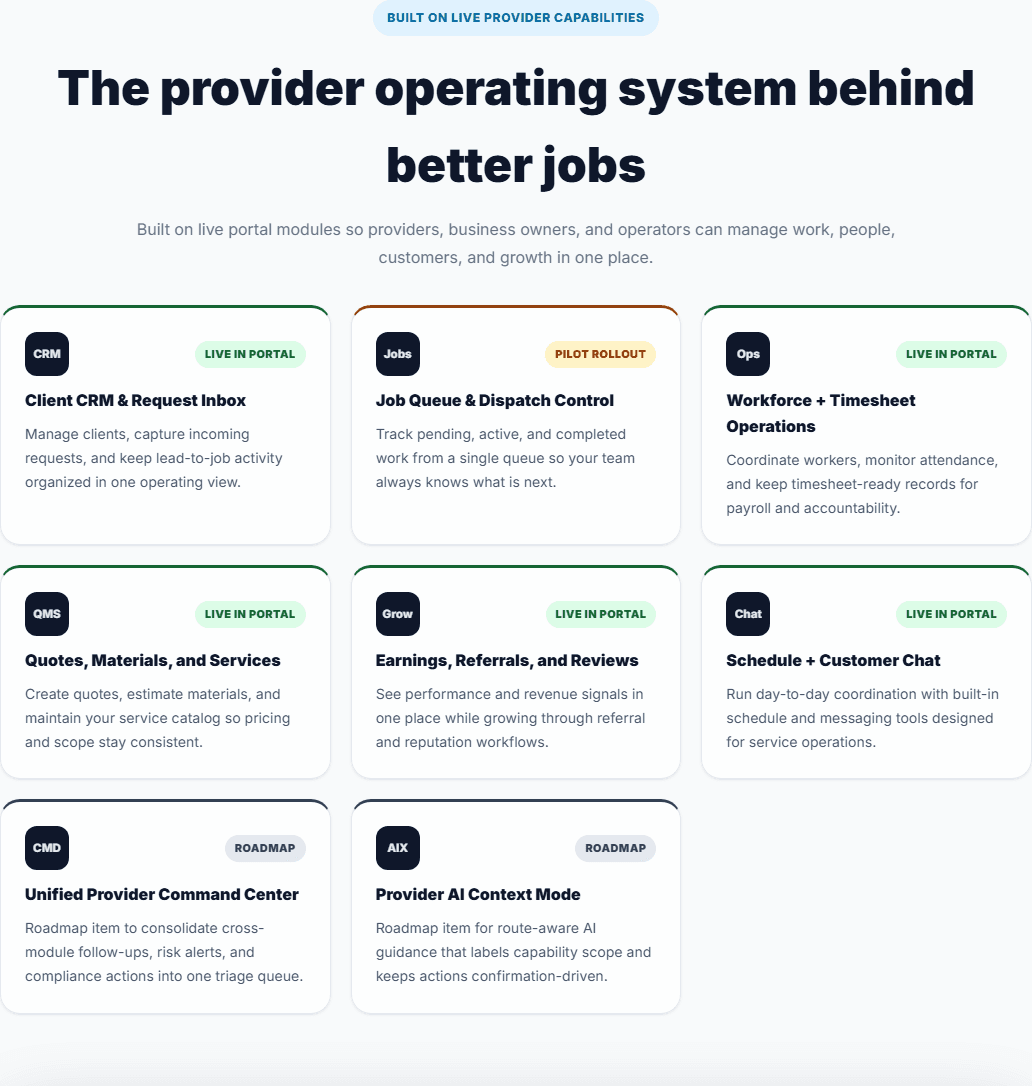
Read the public provider operating-system map with precision so operators can distinguish what is live, what is pilot, and what remains roadmap.
Use the public provider operating-system section to explain what is live, what is pilot, and what remains roadmap.
Short video
Lesson focus
Workspace cue
Operator provider OS rollout map
This lesson focuses on the published provider operating-system modules and the rollout labels that keep operator guidance honest.
Key highlights
- The provider operating-system section is a public capability map for business owners and operators.
- Live, pilot, and roadmap labels must stay intact when operators explain the platform.
- Truthful rollout framing builds credibility and helps teams plan realistically.
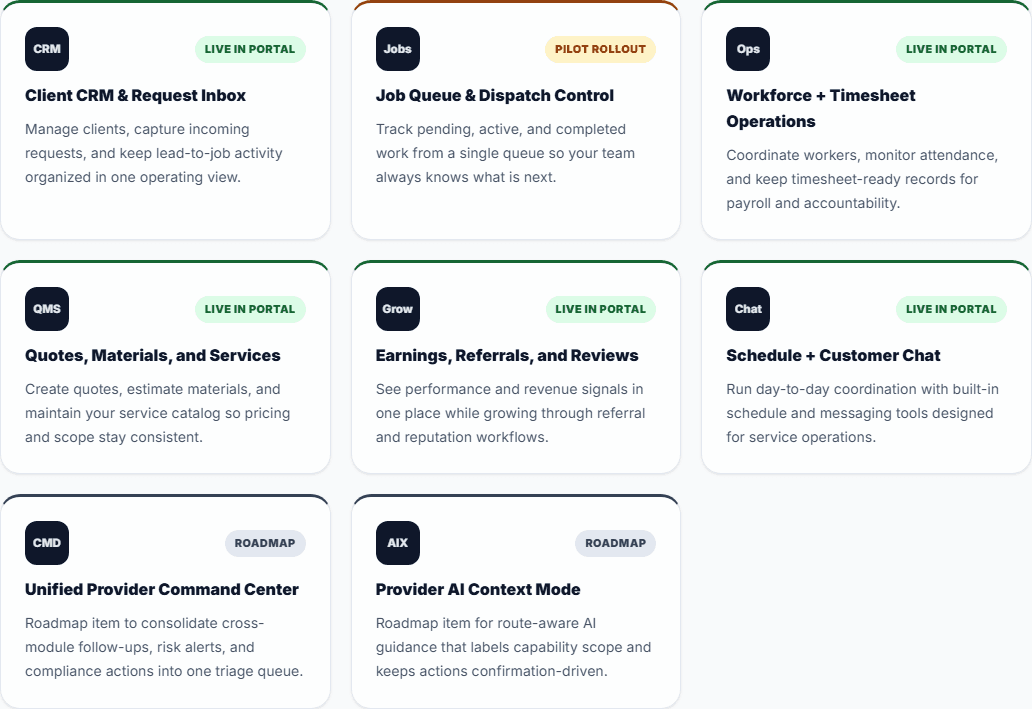
What your screen should look like
Before you start
- Open the provider operating-system section ready to label what is live, pilot, and roadmap truthfully.
- Do not blur rollout labels together just to make the platform sound bigger.
- Treat this section as an honest operator map for business conversations.
Step by step
- Go to the provider operating-system section on the Business page.
- Read the module cards and pay attention to the rollout label on each one.
- Separate what businesses can use now from what is still pilot or roadmap.
- Use the module map to explain how providers operate inside HubbCentral today.
- Keep your next-step guidance realistic by pointing only to what the rollout labels support.
Ready to apply
- You can tell which provider modules are live today and which are not.
- You can explain the provider operating-system story without exaggeration.
- Your operator guidance stays aligned with the public rollout labels.
If you get stuck
- If the rollout labels blur together, read each card and say the label out loud before moving on.
- If you are unsure whether something is already shipped, trust the public label instead of your assumption.
- If the section feels too dense, start with one live module and one roadmap module and compare them clearly.
What success looks like
You leave this lesson able to explain the provider operating-system story without overstating what is already shipped.
Practice it in the live product
The lesson stays public, but the CTA routes directly into the live HubbCentral surface tied to this workflow.